
Use case · Architectural lighting
Run architectural lighting without leaving the console connected.
Record Art-Net lighting data on a Raspberry Pi, then replay the finished show locally for façades, landscapes, showrooms and permanent installations.
A dedicated player for the finished lighting show
Architectural lighting often needs the same programmed result every evening, but keeping a full lighting console on site adds cost and operational complexity. CUE/IO records the Art-Net stream produced by the console. Art-Net carries DMX lighting values over Ethernet, so the Raspberry Pi can capture the network data with its original timing and play it back to the Art-Net nodes later.
Playback stays on the local network after initial activation. A browser on a phone, tablet or computer can open the CUE/IO interface without installing a desktop application.
From commissioning to daily playback
- Program with the lighting console.Build and test the architectural look using the console and fixtures already in the installation.
- Record the Art-Net output.Connect the Raspberry Pi to the Art-Net network and capture the final sequence. Add synchronized audio only when the installation needs it.
- Choose how the show starts.Use the scheduler, a GPIO sensor or button, incoming LTC, or an autoplay sequence.
- Run locally.Leave the Raspberry Pi on site and remove the programming console from the playback path.
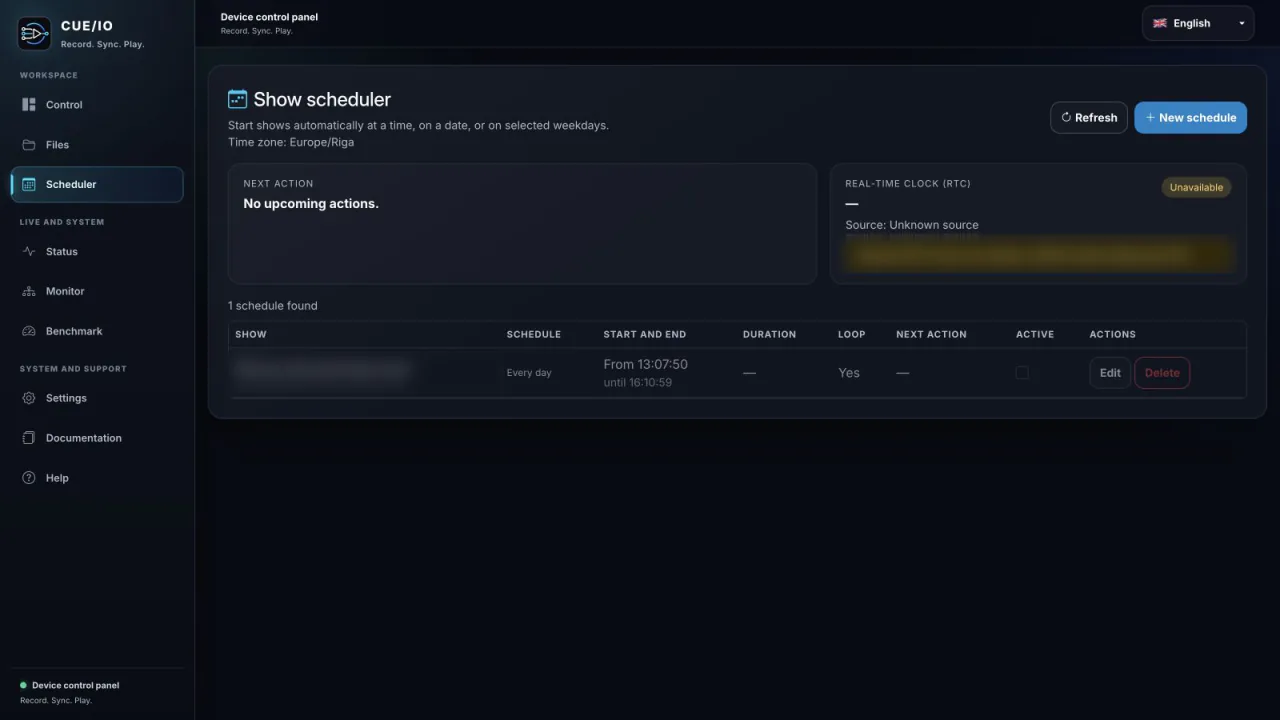
Choose automation that matches the site
Scheduled operation
Use scheduled playback for daily opening hours, evening façade scenes or timed showroom sequences. Scheduling removes the need for an operator to start the same show manually.
Physical and sensor triggers
Up to four Raspberry Pi GPIO inputs can be assigned to shows. This supports straightforward integrations with buttons, switches or suitable motion-sensor circuits. Electrical interfacing must stay within the Raspberry Pi GPIO limits.
Incoming LTC and autoplay
CUE/IO can receive incoming LTC and use prepared timecode cues to start shows. It does not generate LTC. For unattended startup, autoplay can launch a prepared sequence after the Raspberry Pi boots.
Plan the network and recovery path before installation
- Use wired Ethernet for the Art-Net lighting network.
- Run the built-in benchmark on the exact Raspberry Pi, storage and show configuration that will be deployed; capacity depends on the real setup.
- Use a quality power supply and a deliberate shutdown procedure before removing power.
- Keep an exported copy of important show files away from the installed device.
- Enable the watchdog where unattended recovery is required.
The console is still used to design and record the show. CUE/IO takes over only after the desired Art-Net sequence has been captured.