01 / RECORD
Record
Record Art-Net and audio. See the waveform, universes and packet rate.
- Audio level and waveform
- Universes and packet rate
- Disk-space check

CUE/IO · RECORD. SYNC. PLAY.
Record Art-Net. Run the show without the console.
Turn a Raspberry Pi 4 or 5 into a standalone Art-Net recorder and player. Capture lighting data with synchronized audio, then trigger playback by incoming LTC, schedule, GPIO or autoplay.
Recording Art-Net and audio
Waiting for timecode
LTC detected · 25 fps
Tap a show to play it
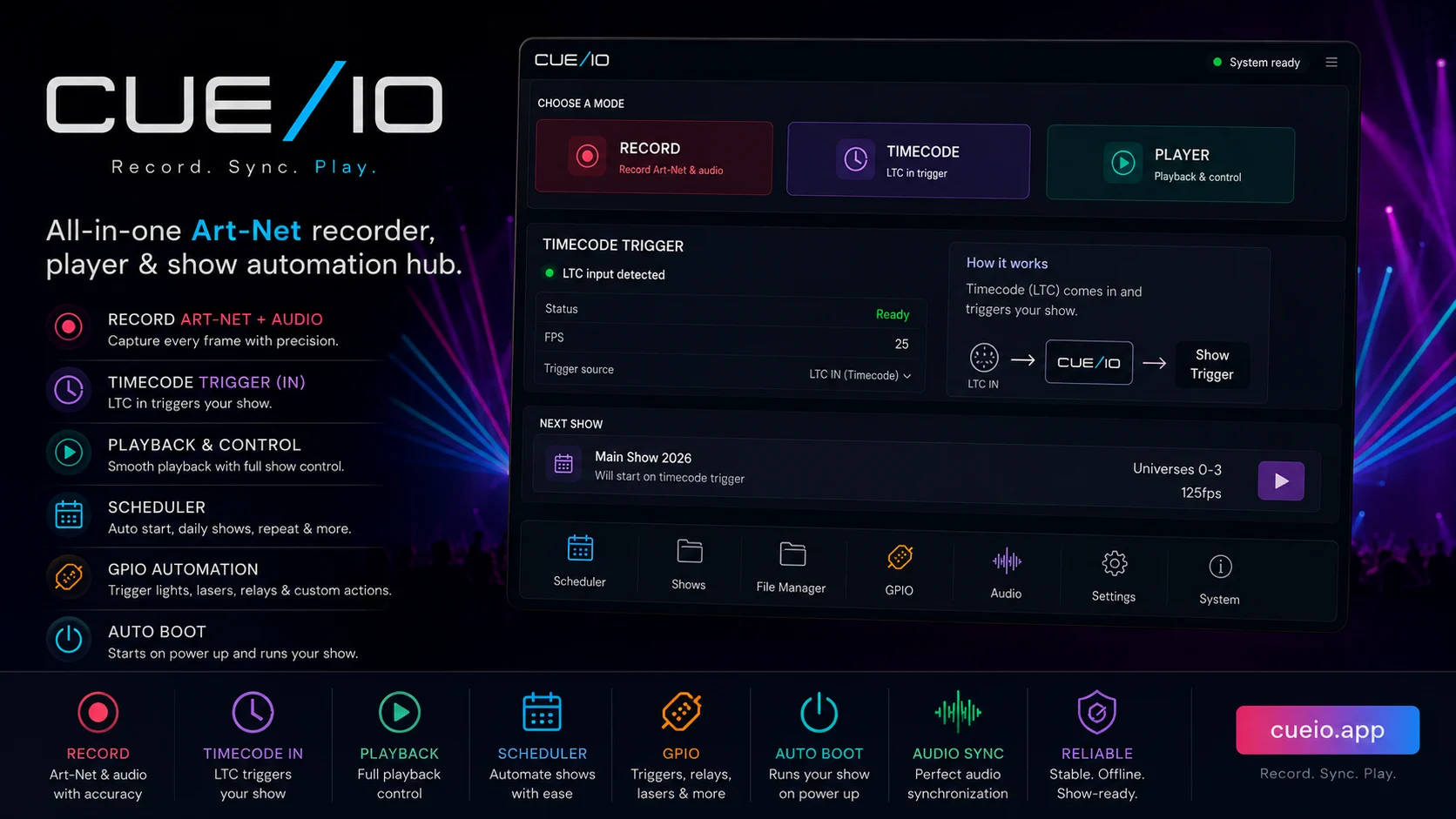
Record, timecode or playback — one active mode at a time.
Record Art-Net and audio. See the waveform, universes and packet rate.
Receive LTC and trigger prepared shows from timecode.
Play, loop and switch shows without the console.
Power On → Warmup → Wait → Main Show → Loop → Shutdown. CUE/IO prepares, runs and releases every stage in a clear order.
Runs automatically when Raspberry Pi boots
Record, edit, schedule and play from any browser on the same network.
Configure up to four Raspberry Pi GPIO inputs for motion sensors, switches or buttons, and assign each input to start a specific show.
Receive LTC and start prepared shows at exact timecode cues.
Run shows by time, date or weekday. An optional DS3231 keeps time offline.
Record and replay ArtDmx and ArtSync in order. Tested with MadMapper.
Record stereo audio with the show, or import multichannel audio and route up to 64 source tracks to supported sound card outputs.
Start after power-on and recover automatically if the application stops responding.
Open, rename, delete and play saved shows.
Download, import, export and trim shows with audio.
Change playback volume without changing the source file.
Run shows by time, date or weekday. DS3231 keeps time offline.
CPU, RAM, temperature, disk, packets, universes and audio.
Test the Raspberry Pi and find a safe universe count.
Use one LAN or separate Art-Net over Ethernet and internet over Wi-Fi.
Restarts the app if a process stops responding.
Phone-friendly interface in Latvian and English, with a help page.
Program with your console, then record Art-Net and optional synchronized audio.
Choose incoming LTC, a schedule, GPIO trigger or autoplay.
Leave the Raspberry Pi on site and control it from any local browser.
The built-in benchmark checks a safe universe count on the current hardware.
Record both paths, correct the installed DMX latency and trigger the complete Raspberry Pi show without the console.
Read the complete guide → Record & verifyConfirm incoming universes, capture the programmed sequence and verify the first local playback.
Read guide → Standalone operationChoose browser control, GPIO, incoming LTC, a schedule or autoplay and prepare the operator handover.
Read guide →One-time payment. No subscription.
No. The €30 product is a software licence for one Raspberry Pi device.
The current 64-bit image is prepared for Raspberry Pi 4 and Raspberry Pi 5.
Internet is required for initial activation. Recording, local control and playback then work on the local network.
Run the built-in benchmark on your Raspberry Pi to see a safe count for that exact hardware and setup.
If the old device works, deactivate it and activate the replacement. If it has failed, contact support for a verified transfer.
No. CUE/IO receives incoming LTC and uses it to trigger prepared shows.
No. Audio is optional. Stereo recording uses a supported Linux-compatible USB input. Multichannel playback requires a compatible sound card and a tested output mapping.
No. Use the console to program and record; CUE/IO handles standalone playback.
For events, 4 GB is the recommended minimum, based on physical Pi 4 tests. 1 GB is experimental; 2–3 GB needs testing with your workload. 8–16 GB adds headroom without guaranteeing more universes or audio channels. The Pi 5 image is supported, but these measurements come from Pi 4.
These screenshots show the English CUE/IO interface from the interactive product demo. Select any view to enlarge it, or open the demo to try the controls yourself.
Show names and network values are examples from the demo.


Choose a perpetual device licence in the CUE/IO Shop.