
Use case · Museums and exhibitions
Repeatable lighting and audio for visitor experiences.
Capture the approved Art-Net show with optional synchronized audio, then run it from a dedicated Raspberry Pi using a schedule, GPIO input, incoming LTC or autoplay.
Preserve the show that the creative team approved
Museum galleries and exhibitions need a reliable way to repeat a finished sequence after programmers and suppliers leave the site. CUE/IO records Art-Net — DMX lighting data transported over Ethernet — with its original timing. If the experience includes sound, optional audio can be recorded and played with the lighting show.
The result is controlled from a local web interface. Staff can select and start prepared shows from a browser, while automated triggers can handle installations that should run without daily interaction.
A practical exhibition workflow
- Build and approve the experience.Program the lighting console, audio source and exhibit behaviour in the normal production workflow.
- Record the final Art-Net sequence.Capture the approved playback on the installation network. Record synchronized audio when the exhibit needs it.
- Assign the start method.Choose scheduled operation, a visitor button or sensor through GPIO, incoming LTC, or autoplay after boot.
- Document the operator routine.Give staff a short procedure for opening the local interface, selecting a show and checking system status.
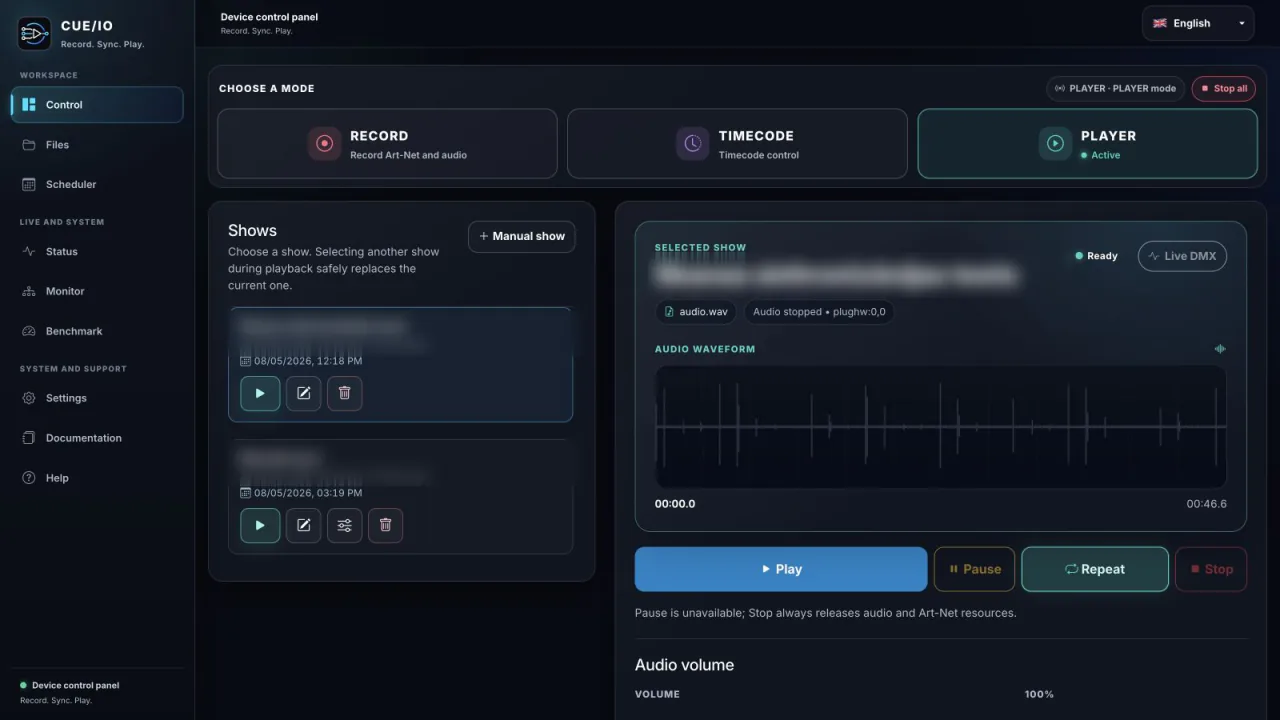
Start each exhibit in the right way
Daily and timed exhibits
Use the scheduler for opening hours, timed presentations and repeatable daily programmes. An optional DS3231 real-time clock can retain time where the system must operate without internet access.
Visitor interaction
Assign shows to Raspberry Pi GPIO inputs for buttons, switches or suitable sensors. The physical interface and voltage protection must be designed correctly for Raspberry Pi GPIO.
Incoming show timecode
Use incoming LTC when CUE/IO must follow an external timecode source. CUE/IO receives LTC; it does not generate it.
Build a clean handover and recovery plan
- Name shows clearly so staff can distinguish the current exhibit from archived versions.
- Export and store a backup of the commissioned show files.
- Run the built-in benchmark on the deployed Raspberry Pi and configuration instead of relying on a generic capacity claim.
- Define what happens after a power interruption and enable autoplay or scheduling only when that behaviour is intentional.
- Keep local network and power instructions with the exhibit documentation.
The Raspberry Pi and Art-Net nodes continue to communicate on the local network. Internet is required for initial licence activation, not for normal local playback.